
Teacher Guide
Getting Started
Learn how to create classes, manage students, connect parents, and upload artwork inside ArtClass.
🏫
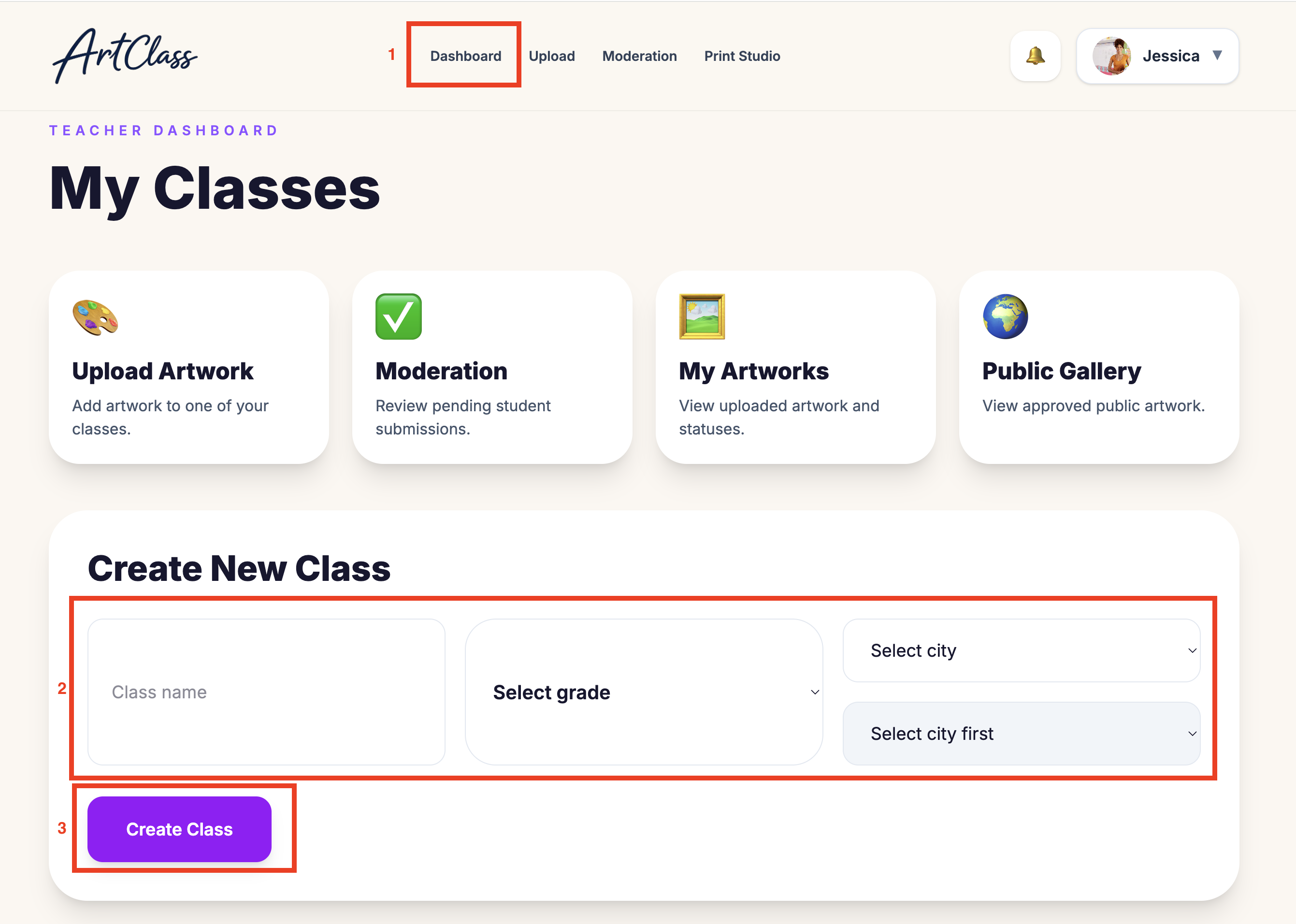
Create a New Class
Create and organize classrooms for your students.
Step by Step
1
Go to Dashboard
2
Click “Add Class”
3
Enter class name
4
Select grade level
5
Click Save
Teacher Tips
✨ Use simple class names
✨ Example: ART • Grade 2
✨ You can edit classes later anytime
👦
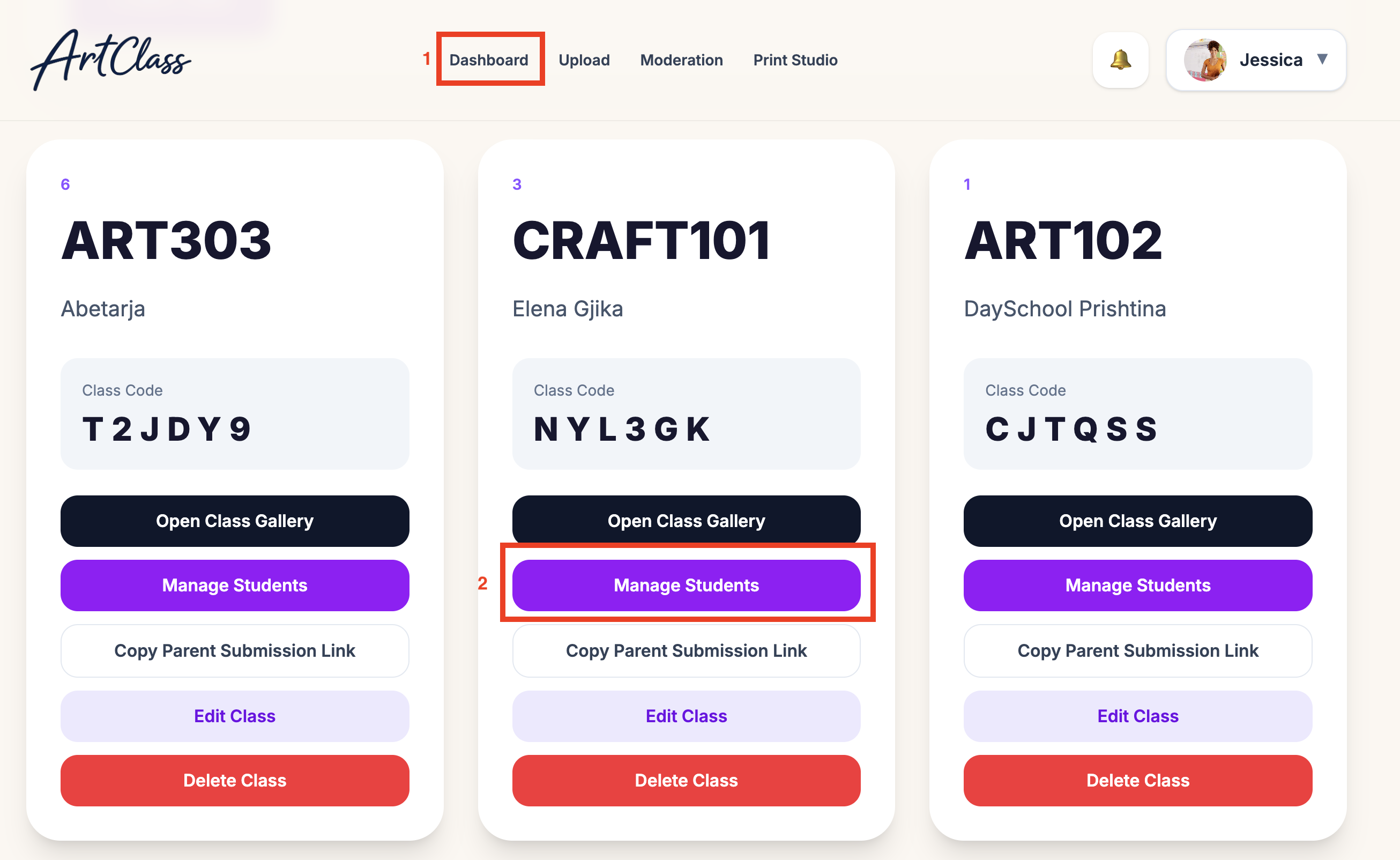
Add & Manage Students
Add students and manage their artwork portfolio.
Step by Step
1
Open a class
2
Click “Add Student”
3
Enter student name
4
Add optional parent email
5
Save student
Teacher Tips
✨ Students can have multiple artworks
✨ You can archive students later
✨ Parents can connect after creation
👨👩👧
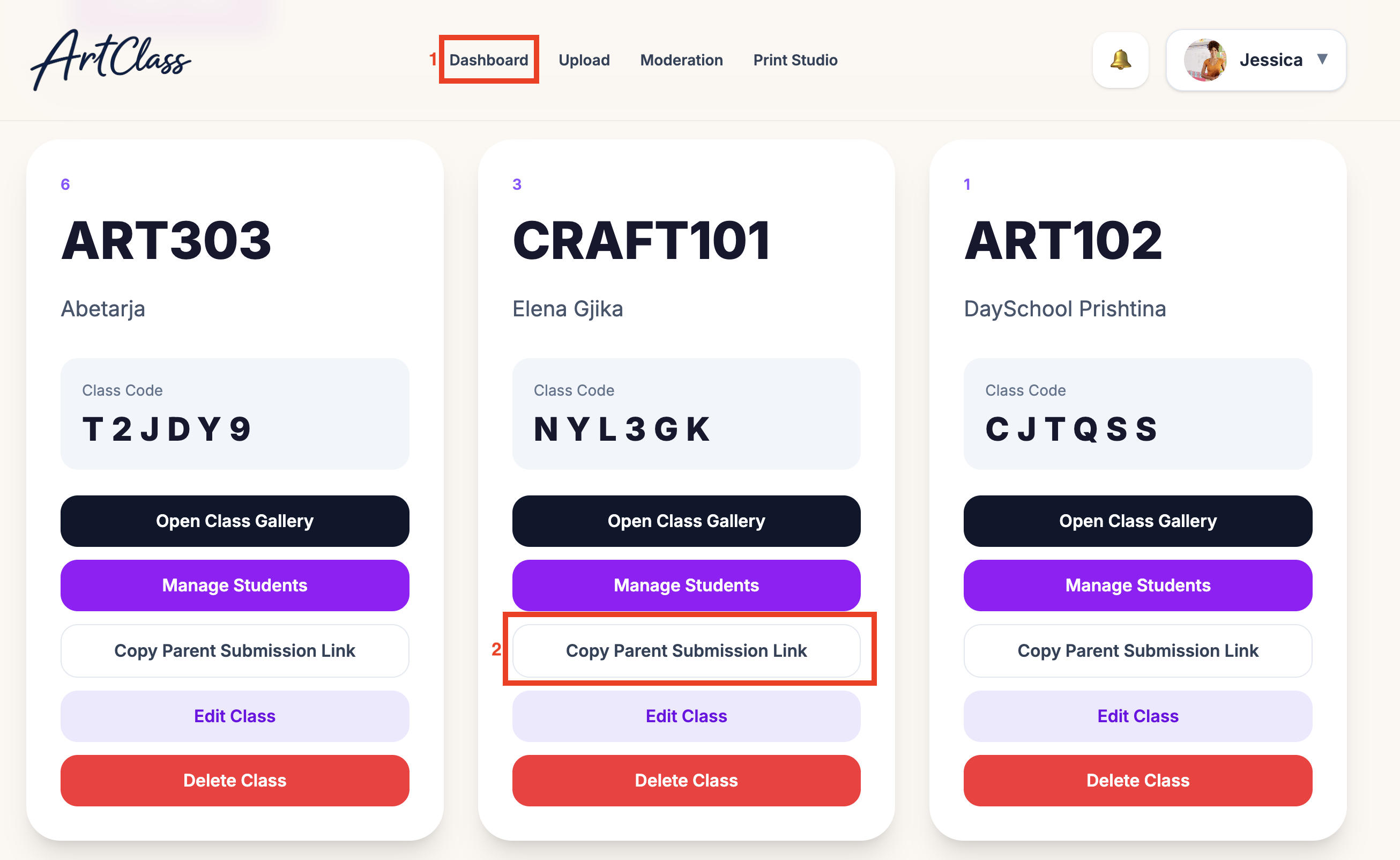
Connect Parents to Students
Invite parents so they can view artwork and order gifts.
Step by Step
1
Open student profile
2
Click “Invite Parent”
3
Enter parent email
4
Send invitation
5
Parent account automatically connects
Teacher Tips
✨ Parents can order personalized gifts
✨ Parents receive notifications
✨ Multiple parents can connect to one student
🎨
Upload Artwork
Upload student artwork for moderation and printing.
Step by Step
1
Open student profile
2
Click “Upload Artwork”
3
Upload image or photo
4
Add artwork title
5
Submit artwork
Teacher Tips
✨ Use bright lighting
✨ Avoid shadows on artwork
✨ Crop edges before upload
✨ Higher resolution images print better
